
Click Here to BUY NOW
£19.20
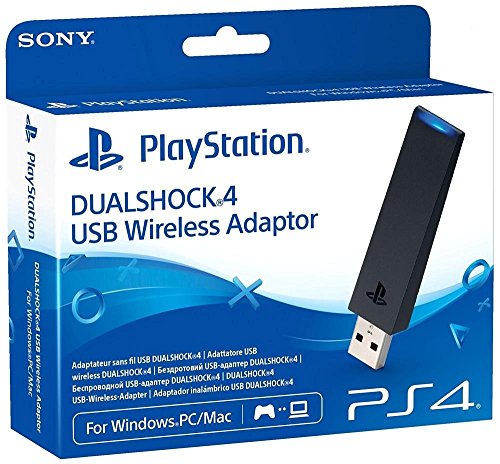
DUALSHOCK 4 USB Wireless Adaptor, Connect the DUALSHOCK 4 wireless controller to your Windows PC/Mac via Bluetooth to wirelessly control compatible applications on your computer. KEY FEATURES Plug and play – Insert the adaptor into a USB port on your PC/Mac and follow a quick and easy Bluetooth pairing process to connect your DUALSHOCK 4 wireless controller. That’s it, you’re ready to play. Enhanced PS4 Remote Play – After installing the Remote Play app on your PC/Mac, you can stream PS4 games to your computer over your home network, so you can keep on playing even when you’re away from the TV. The adaptor makes Remote Play even better, allowing you to play wirelessly with all the same intuitive features of the DUALSHOCK 4 wireless controller at your fingertips. Perfect for PlayStation Now on PC – The PlayStation Now subscription service is now available on Windows PC. Simply download the PlayStation Now app to gain access to an extensive and expanding library of over 300 classic PlayStation titles streamed straight to your computer. Fully experience all of what PlayStation Now has to offer with the adaptor and a DUALSHOCK 4 wireless controller. Note: A USB cable is not included. To charge the controller, use the USB cable supplied with the PS4 system. The DUALSHOCK 4 USB Wireless Adaptor cannot be used to connect a DUALSHOCK 4 wireless controller to a PlayStation 4 system, PlayStation Vita system or PlayStation TV system. The DUALSHOCK 4 USB Wireless Adaptor is compatible with both 2.0 and 3.0 USB ports. DUALSHOCK 4 wireless controllers may work with some Windows PC/Mac games but Sony Interactive Entertainment Inc. cannot guarantee compatibility. This is the case with or without the use of the DUALSHOCK 4 USB Wireless Adaptor. PlayStationTMNow icon Sony Computer Entertainment Inc.This adaptor enables the DUALSHOCK 4 controller to wirelessly connect to your PC or Mac
You can use your controller to play games streamed to your computer through applications such as PS4 Remote Play, PlayStation Now
You can utilise every feature of DUALSHOCK 4, including buttons, analog sticks, touch pad, light bar, motion sensors, vibration and stereo headset jack, as long as the application supports these features
Click Here to BUY NOW
Sony PlayStation 4 DualShock USB Wireless Adaptor




GIPHY App Key not set. Please check settings